Pages
Static and dynamic content
Build landing pages, brochure pages, layouts for your data, even reports. A page isn't tied to one table — it composes free content and any number of embedded views.
Platform · Drag-and-drop builder
Saltcorn has an intuitive, free-form drag-and-drop builder for your pages and data views. Get exactly the layout you want by dropping elements onto the canvas and fine-tuning the properties of each one — no layout code required.
Drag components from the palette, arrange them on the canvas, and shape each one in the settings inspector — all in a single visual editor.
A Layers tree shows the structure of what you're building, and device-preview toggles let you check desktop, tablet and mobile as you go. It's the same builder whether you're laying out a page or a data view.
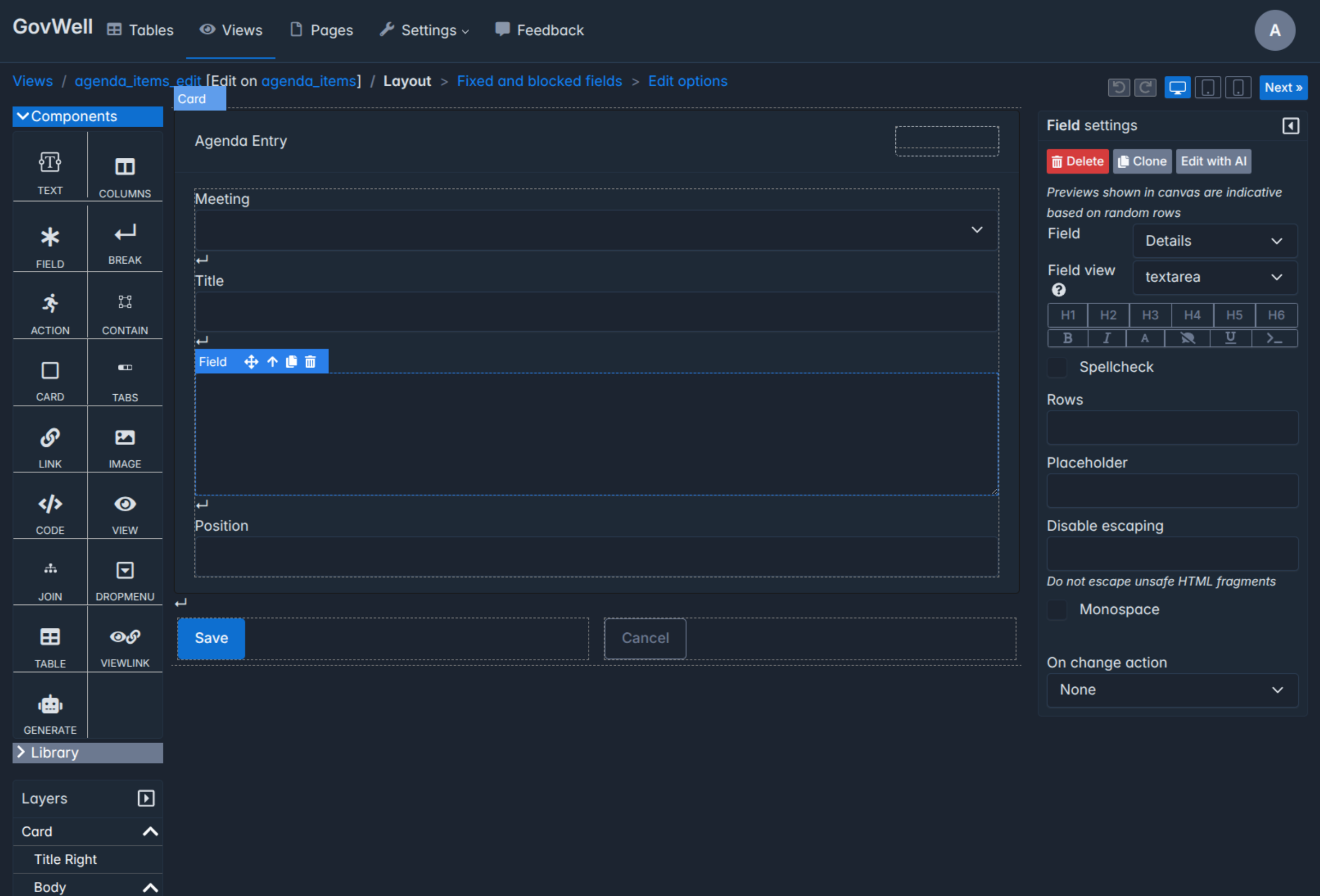
Structure any screen from a palette of drag-in blocks — for arranging the layout and for placing content — and nest them as deeply as you need.
Build landing pages, brochure pages, layouts for your data, even reports. A page isn't tied to one table — it composes free content and any number of embedded views.
Present the content of a database table through the same drag-and-drop interface, so the layout adapts to exactly what you want to show.
Forms are just data views, so you can build data capture in any layout you like — single-step or multi-step.
A pattern is the fundamental relationship between a screen and its table. Pick one to start, then lay it out on the canvas.
Adjust margin, padding and border; height and width; typography; images and gradients; and flexbox alignment — per element, in the inspector.
Choose exactly how a field is displayed or edited — a date as a picker or as formatted text — set a placeholder, or attach an on-change action.
Drop in a Code block for custom HTML and CSS, or embed a React component with full access to the Saltcorn API — right where the no-code controls stop.
Embedding views is the not-so-secret special sauce that makes Saltcorn magic.
A view can embed another view, and views on a page share state — so clicking a row in one narrows another, giving you cross-filtering dashboards with no glue code. Show a customer with their meetings, a task with its project, many-to-many links as badges, kanban boards, or location maps with interactive pins. And because the state lives in the URL, any filtered screen is a link you can share.
Embed, nest, and pass state Dashboards, portals and consoles from the same partsEvery page and view is built with responsive layouts that scale from small-screen mobile to the widest desktop — without duplicating work.
Assemble predefined layout blocks once and drag them straight into any page, so you're not rebuilding the same card, header or toolbar every time.
Views like Kanban and Edit update in real time for everyone, and the builder can draft a layout for you with Edit with AI.
Spin up Saltcorn and drag your first page together in minutes — free, open-source, no layout code.
The Saltcorn team can design and build the pages, views and dashboards your team needs.